
Help center — How to order vouchers in your client area?
Order your Monizze vouchers in less than 4 minutes through your client area. You can place a manual order or activate an automatic order.

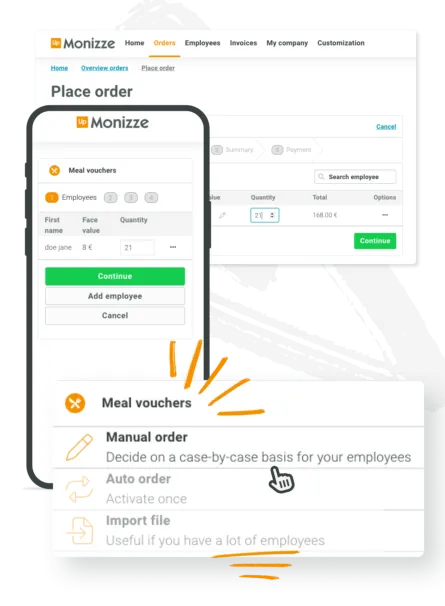
Step by step
How do I order vouchers manually?
- First, add an employee in the « Employees » tab: fill in the first name, last name and NISS number, and choose the employee’s preferred language.
- Then place an order in the « Orders » tab:
- Choose the type of vouchers you wish to order
- Fill in the face value and quantity
- Choose the date you want the vouchers to be loaded
- Check the different types of costs
- Pay by bank transfer
- Find your invoices in the « Invoices » tab.
- Proceed in the same way for the other vouchers (meal, eco, gift and Activ’ vouchers). This also lets you activate the 4-in-1 pack !
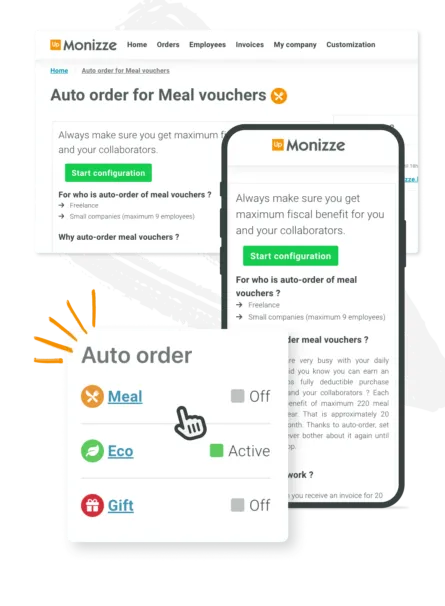
Save time
How do I activate the automatic order?
- First, in the « Orders » tab, choose the type of voucher for which you want to activate the automatic order.
- Click on the « Automatic order » option:
- Choose the date on which the vouchers should be ordered automatically
- Choose the last month of your fiscal year
- Fill in the face value and the number of vouchers
- Find your invoices in the « Invoices » tab.

Ready to order your vouchers?
Log in to your client area to place an order, or discover our vouchers if you are not yet a customer.